 Dependable Dispatch
Clients
This part is for staff at a client: CSRs and super clients. You see your own client's orders and facilities, and nobody else's.
Place an order
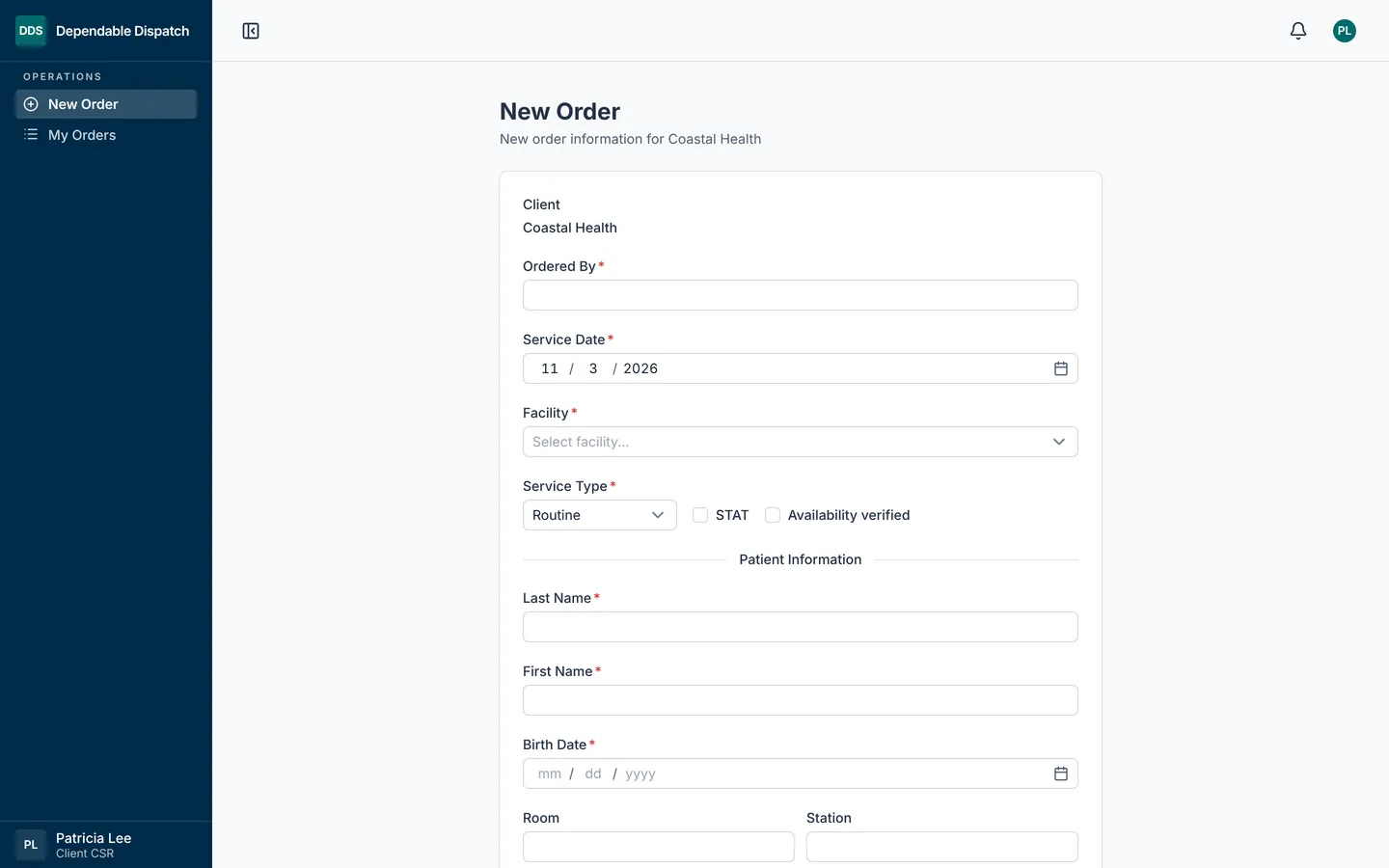
- Click New Order in the menu.
- Fill in Ordered By, Service Date and Facility. Only your client's active facilities are listed.
- Pick the Service Type. Tick STAT if it is urgent, and Availability verified once you know the patient is there.
- Fill in anything the type asks for: Draw Time, Picc Line, Dosage (Hours) and Level for a timed draw, the Reason for a redraw, the UTO Reason for a UTO, or Draws for a Check All.
- Fill in the patient: Last Name, First Name, Birth Date, Room and Station. A Check All covers the whole facility and needs no patient.
- Fill in Order Desc, and Notes if needed.
- Click Place Order, then Ok to confirm.
The confirmation shows the order number, when it was placed and by whom. Click Print Confirmation to keep a copy, or Start Another Order.
If one facility has several orders, click Save & Copy for Same Site instead of Place Order. It places the order and starts the next with the same facility, Ordered By, STAT setting and patient.
Follow your orders
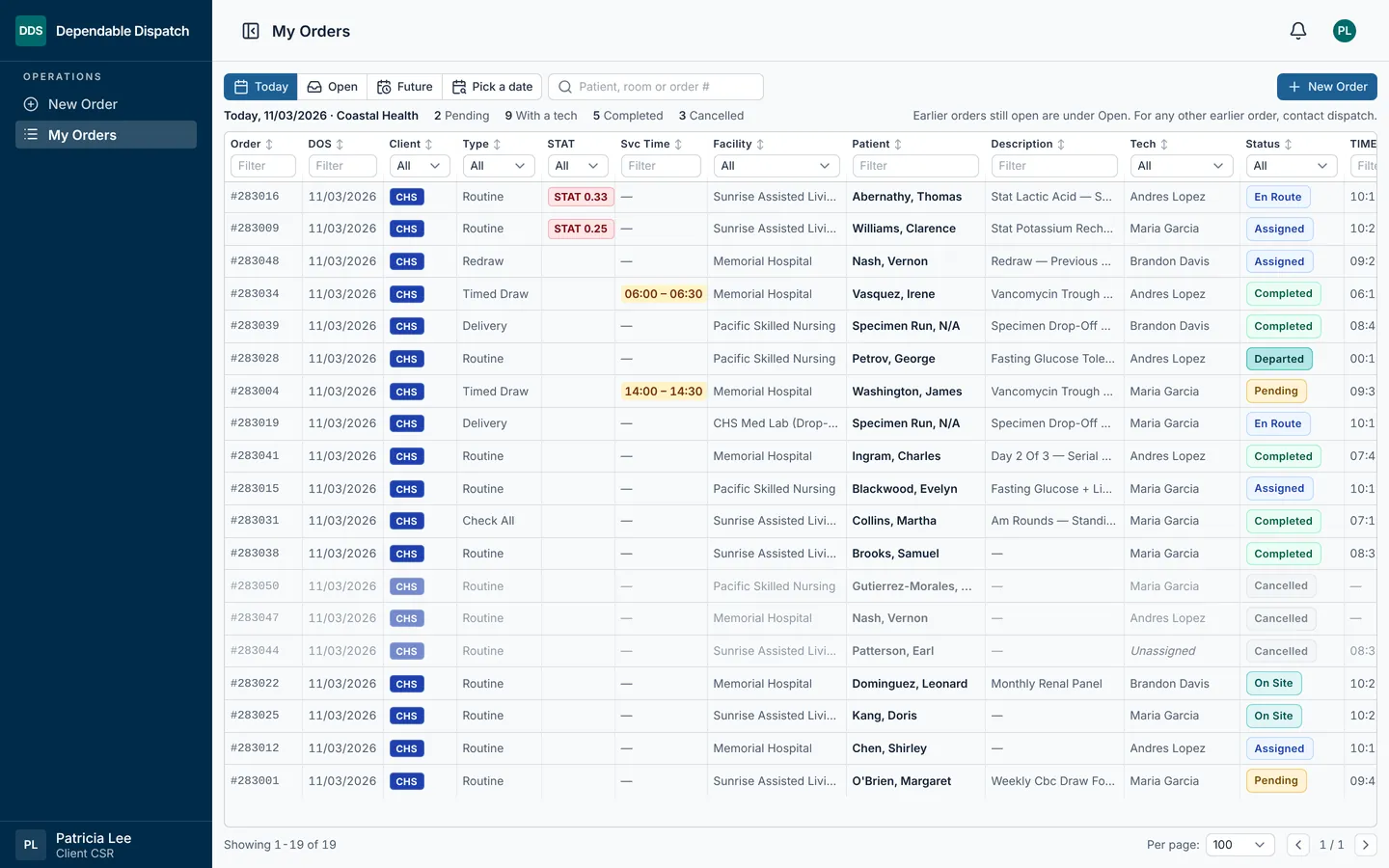
My Orders (Orders for a super client) opens on today's orders. Pick a view at the top:
- Today: today's orders.
- Open: earlier orders that are still open, up to 90 days back.
- Future: orders dated after today.
- Pick a date: one day, today or later.
Orders from before today show only under Open. For an older order, contact dispatch.
Each row shows the client, the tech and where the order stands. The search box finds an order by patient, room or order number. Type in the box under a column name to filter it, or click the column name to sort. Click an order to read it or print it.
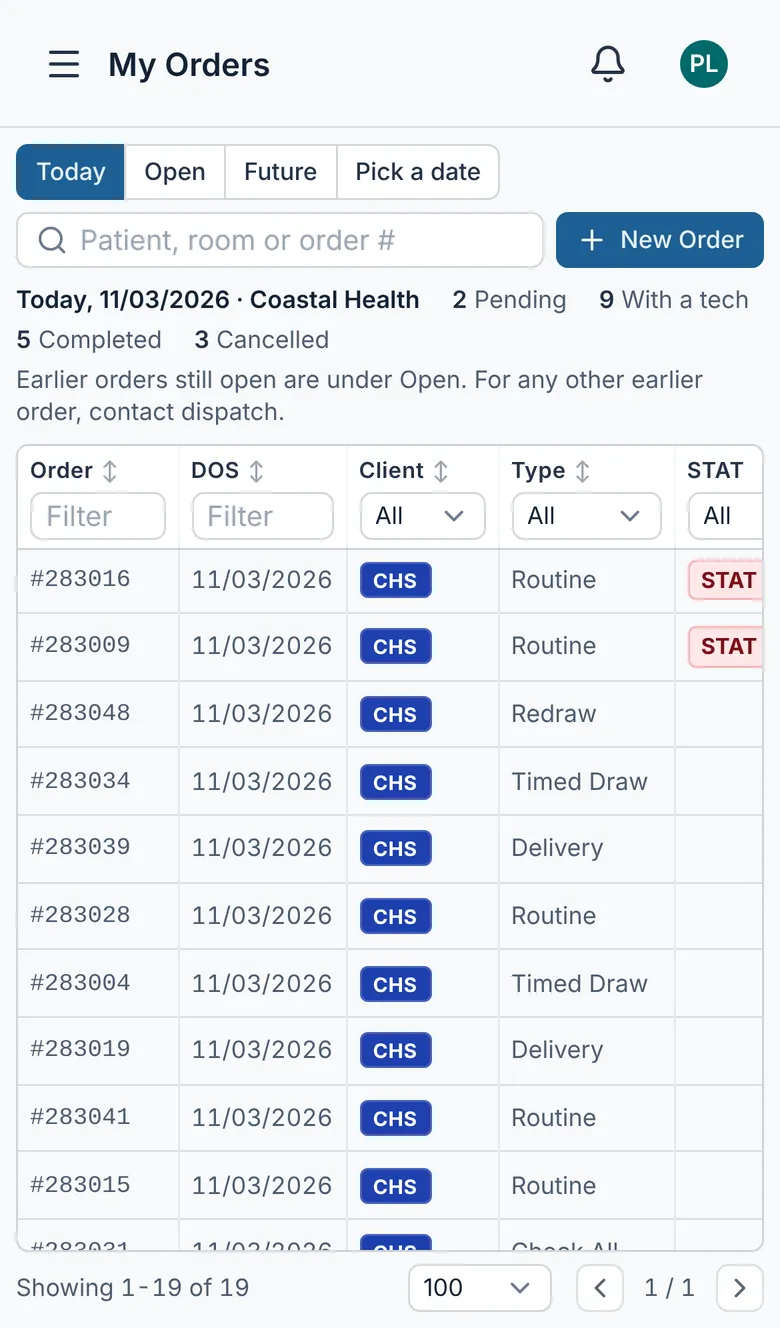
On a phone, the views sit above the list and the table scrolls sideways.
Cancel or change an order
A CSR can cancel an order that is still Pending, has no tech yet, and is dated today or later. Open it and click Cancel Order, then Cancel Order again to confirm.
Super clients can't cancel. For that, for any other change, or for an order a tech already has, contact dispatch.